Real-time charts
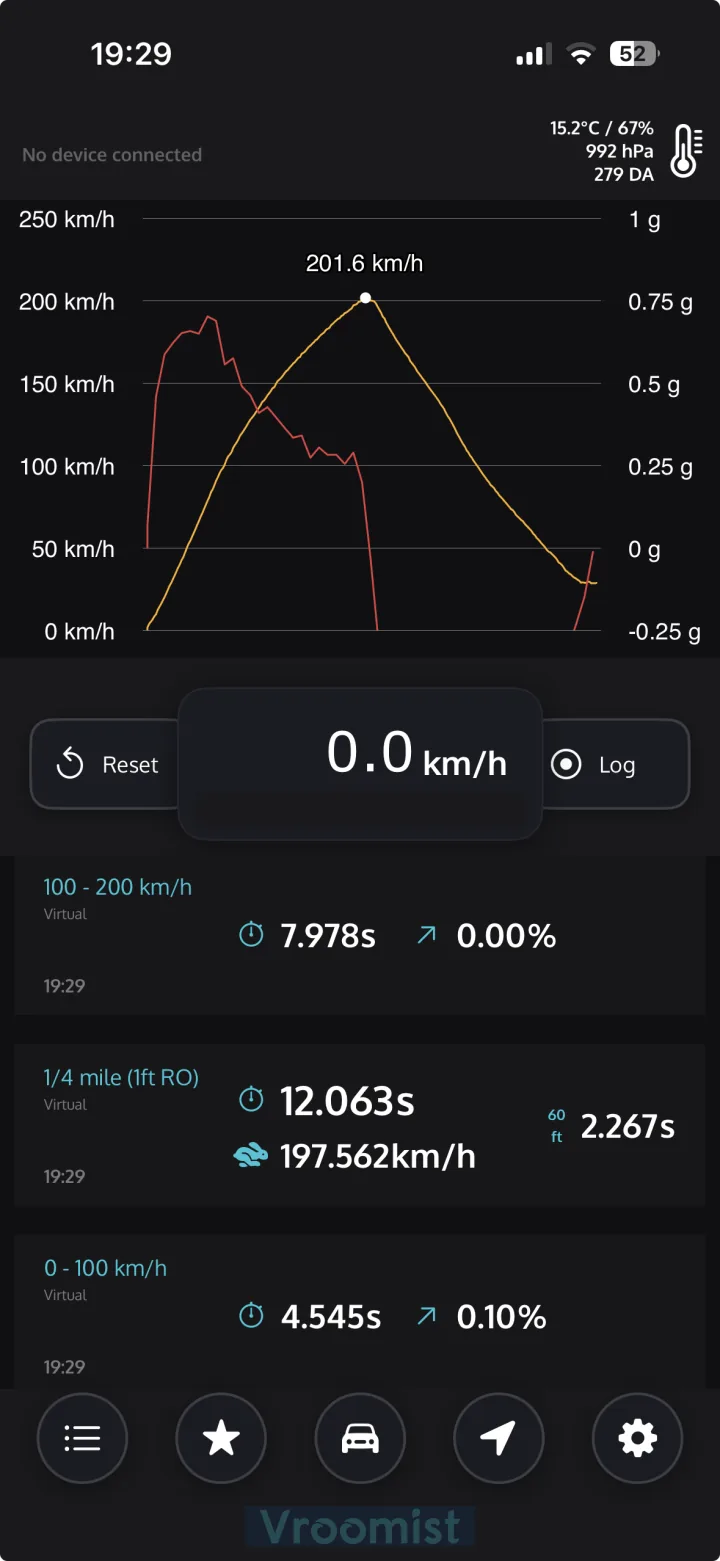
Live speed and G-force graphs up to 25 Hz. Zoom, smoothing, distance or time X-axis — fully tunable.

Turn your iPhone into a pro-grade GPS performance meter. Sprint times, drag runs, full GPS logs — with precision BLE hardware or your phone alone.
[ features ]
Live speed and G-force graphs up to 25 Hz. Zoom, smoothing, distance or time X-axis — fully tunable.
Pair a RaceBox logger or a Dragy Lite for up to 25 Hz accuracy, or use your iPhone's internal GPS. Auto-filtering rejects bad samples.
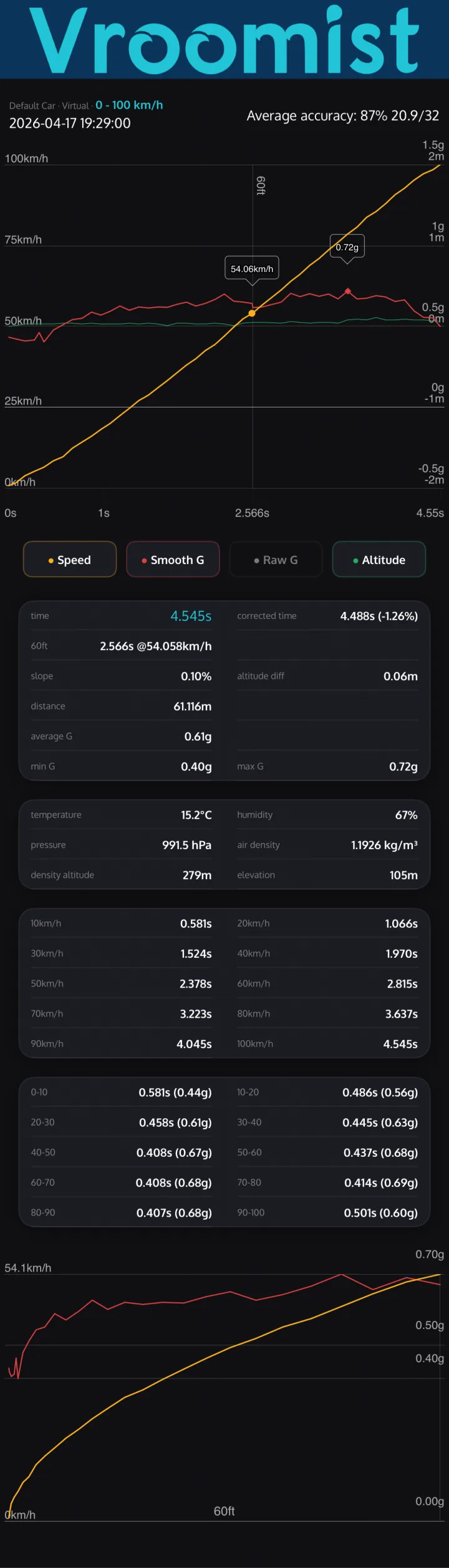
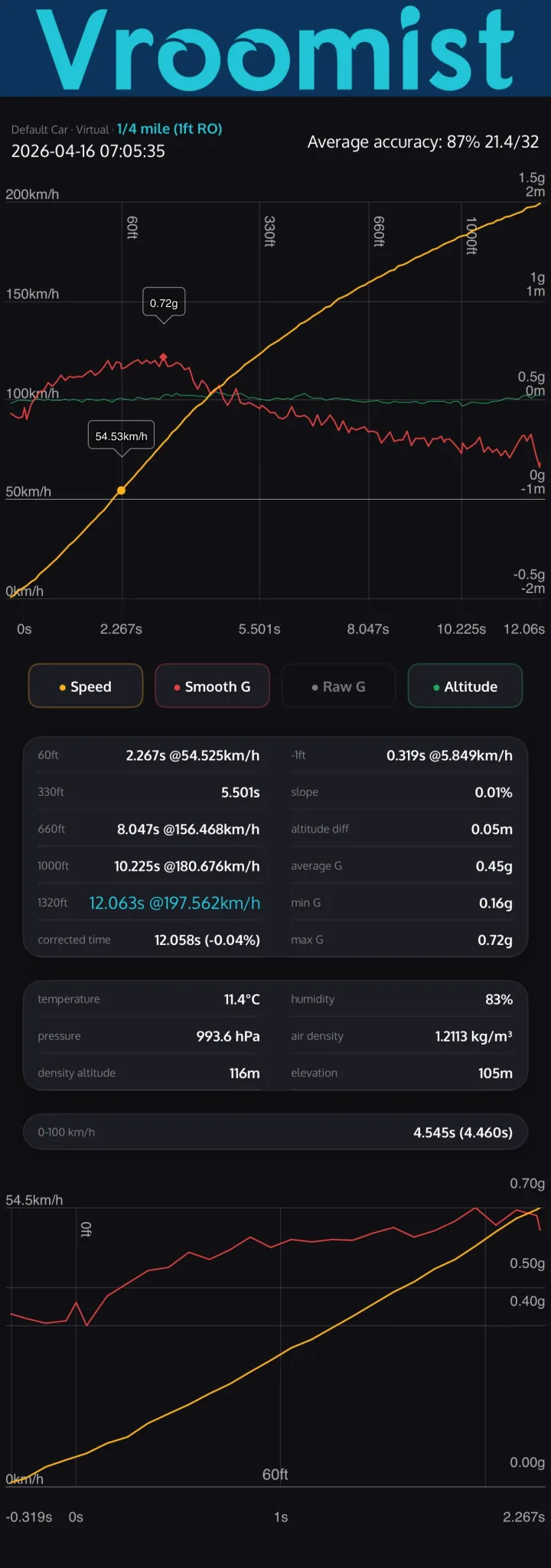
0-60 mph, 0-100 km/h, 0-300 km/h, quarter mile, eighth mile, 60 ft — with trap speeds and 1 ft rollout support.
Every result also gets a flat-ground estimate. The run is split into segments and each one is corrected by its own elevation change, so hills and dips are accounted for.
Define any custom speed range or distance, pick km/h or mph, meters, feet or miles. The whole app — charts, results, exports — follows your choice.
A beep at the shift point you pick and a repeating tone past a max speed. Both keep working in the background while you drive.
Live speed, warmup status and haptic feedback on your wrist. Extended runtime session keeps it awake.
Batch-export CSVs bundled in a ZIP, with weather and environment data. Overlay past runs side-by-side.
[ at a glance ]
[ supported hardware ]
25 Hz precision BLE GPS loggers. Pairs in seconds — connect and go. On a drag strip, within 0.06 s of the track's own timing.
25 HzFully supported over BLE. Switch the sampling rate between 10, 20 and 25 Hz right inside the app.
10 · 20 · 25 HzJust your iPhone. It measures 0-60 mph, 0-100 km/h and the quarter mile from the phone's own 1 Hz GPS: Vroomist interpolates between samples and slope-corrects every run, so no extra hardware is needed for casual runs and quick checks. Against a drag strip's clock it reads a few tenths slower; for timing-grade precision pair a 25 Hz receiver.
1 Hz[ screens ]
[ faq ]
Yes. Vroomist uses the iPhone's built-in GPS at 1 Hz, interpolates between the samples and slope-corrects the result, so every preset including 0-60 mph, 0-100 km/h and the quarter mile works with no extra hardware. A 25 Hz RaceBox or Dragy Lite gives finer, more repeatable times.
Yes, completely. There is no account, no subscription and no in-app purchase. External GPS devices are supported in the free app too; nothing is locked behind a paid tier.
RaceBox Mini, Mini S and Micro at 25 Hz, and the Dragy Lite at 10, 20 or 25 Hz, all over Bluetooth. The iPhone's own GPS needs no device at all. Other Dragy models are not supported.
The phone reports its position once a second; a RaceBox 25 times a second. Vroomist interpolates between the phone's samples, so a 0-60 time is resolved finer than one second, but the result is coarser: on the same drag strip runs where a RaceBox stayed within 0.06 s of the track's clock, the phone's GPS read 0.14 to 0.46 s slower on the elapsed time and up to 0.5 s on the 60 ft. For comparing modifications or posting times, use an external device.
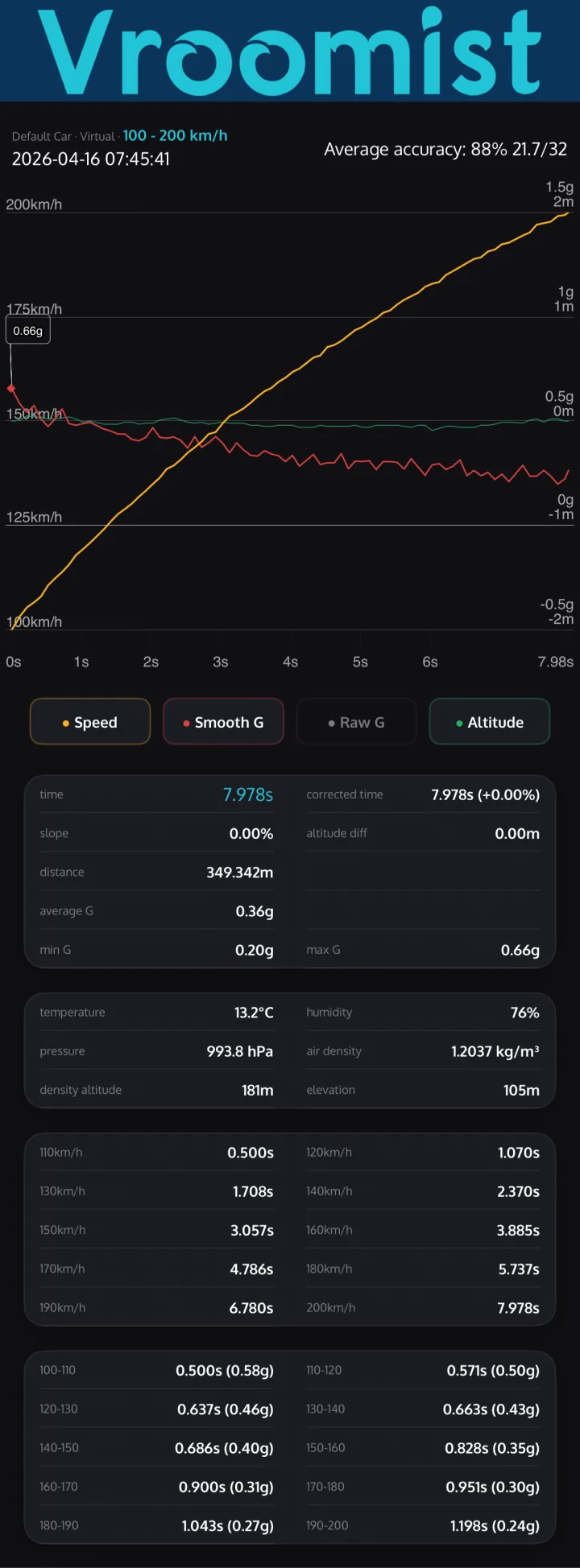
Sprint times over any speed range (0-60 mph, 0-100 km/h, 60-130 mph, 100-200 km/h and dozens more, plus custom ranges), drag distances (60 ft, 1/8 mile, 1/4 mile, 1/2 mile and 1 mile with trap speeds) and full GPS logs.
Every sprint and drag result also shows an estimate for flat ground. The run is split into segments and each segment is corrected by its own elevation change, so a downhill start does not flatter the time and an uphill one does not punish it.
The 60 ft, 1/8 mile and 1/4 mile presets use the 1 ft rollout, the same convention as an NHRA drag strip timeslip, where the clock starts once the car has rolled out of the staging beam, and they report the trap speed. Measured against a drag strip's own timing system over five eighth-mile runs, Vroomist with a RaceBox was within 0.06 s of the track's 60 ft, 330 ft and elapsed times (typically 0.02 to 0.04 s quicker) and within 1.3 km/h of its trap speed; the app measures as precisely as the GPS data allows. The few hundredths that remain come from staging: the app always credits the full 1 ft of rollout, while on the strip a driver who rolls deeper into the beams than needed may get only half a foot before the clock starts.
Yes. Rolling-start presets are built in: 60-130, 60-160, 60-200, 100-150 and 130-160 mph, and 80-120, 100-200, 200-250 and 200-300 km/h, next to the standing starts from 0-60 mph and 0-100 km/h up to 0-200 mph and 0-300 km/h. Any other range, for example 50-150 km/h, is a custom preset you add in the app.
There is an Apple Watch companion app that shows live speed, the connection status and the results. There is no Android version.
No account. Measurements work offline; the internet is used only for the weather lookup that records temperature, pressure, humidity and density altitude with each run.
No. Runs, GPS logs, cars and notes stay on the phone, and you export CSV files yourself. The weather lookup sends approximate coordinates to Open-Meteo, and anonymous crash and usage statistics go to Firebase; the privacy policy lists both.
Free on the App Store. iOS 18 and up. Apple Watch companion included.
Download on the App Store